
Editor
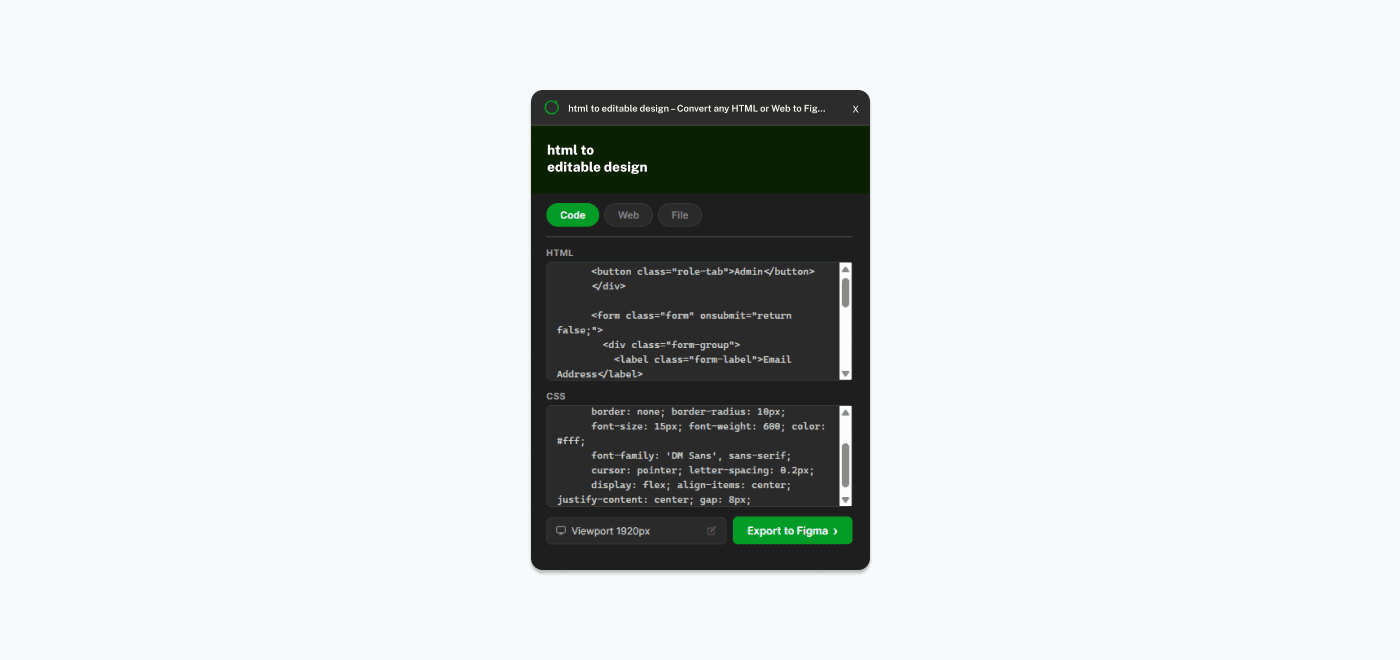
The Editor tab lets you paste raw HTML and CSS directly into the plugin.
How to Use
- 1Open the plugin in Figma
- 2Select the Code tab
- 3Paste your HTML in the top textarea
- 4Paste your CSS in the bottom textarea (optional — inline styles also work)
- 5Select a viewport width from the dropdown
- 6Click "Export to Figma"
Tips
- You can paste a full HTML document (with <html>, <head>, <body> tags) or just a fragment (e.g., a <div> with some content)
- If you paste a fragment, the plugin wraps it in a basic HTML document automatically
- CSS pasted in the CSS textarea is injected as a <style> block
- If your HTML already includes <style> or <link> tags, you can leave the CSS textarea empty
- Inline styles (style="...") are fully supported
Best For
- Quick prototyping from code snippets
- Converting component HTML/CSS to Figma
- Testing small pieces of UI