
Extension
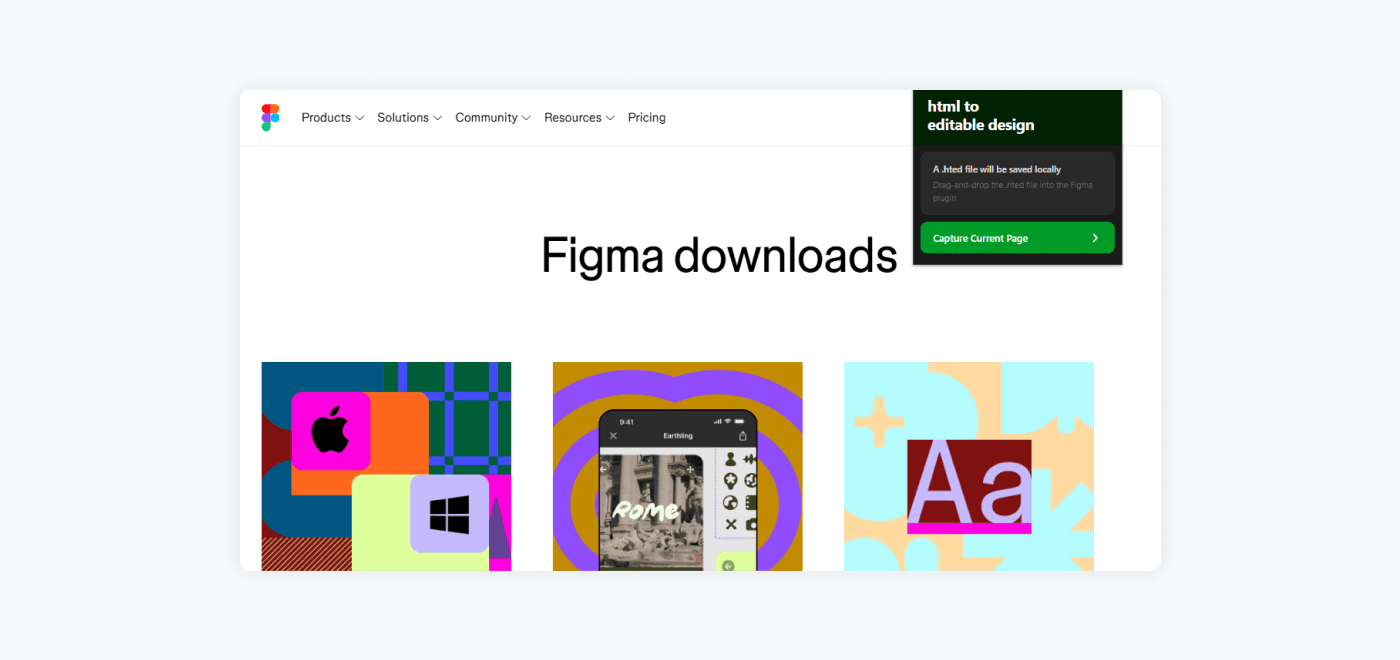
The Browser Extension lets you capture any webpage — including pages behind login walls — and send the HTML directly to the Figma plugin.
How to Use
- 1Install the HTML.to.Editable.Design browser extension
- 2Navigate to any webpage in your browser
- 3Click the extension icon in your browser toolbar
- 4The extension captures the current page's HTML
- 5Save the .hted file
- 6Open the Figma plugin, go to the File tab, and import the .hted file
Why Use the Extension?
- Authenticated pages: Capture pages behind login (dashboards, admin panels, SaaS tools)
- Dynamic content: The extension captures the fully rendered DOM, including JavaScript-generated content
- No CORS issues: Since the extension runs in the browser context, there are no cross-origin restrictions
Best For
- Pages behind authentication
- Complex JavaScript-rendered pages
- Pages that block CORS proxy requests